
Accessibility · Updated
Plan Accessible Virtual Events: Captions, Participation and Follow-Up
A caption window can work perfectly while an attendee cannot join the event, ask a question, or find help. Plan the whole journey—and rehearse it from the attendee’s side.
This guide is an operational worksheet, not a certificate of legal compliance. Establish the requirements that apply to your organization and audience with your accessibility lead and qualified advisers. A product subscription or completed checklist does not establish that those requirements have been met.
Start with the person and the task
Before choosing software, list what participants need to do: receive an invitation, join, follow speech and visuals, contribute, get assistance, and revisit material. Offer a clear way to request communication support without requiring people to disclose a diagnosis in an event chat.
The US Department of Justice’s effective communication guidance explains that the communication’s context and the person’s usual communication methods matter when choosing appropriate aids or services. Do not assume that captions, sign language, translated audio and written materials are interchangeable for every attendee.
Separately, establish which rules apply to the organizer. Section508.gov’s laws and policies overview describes federal ICT accessibility obligations and related provisions. A school, employer or event should not infer its full obligations from a generic “ADA compliant” product claim.
Choose support before you choose a switch
Record the requested support, who will provide it and how it will be tested. Human captioning, sign-language interpretation, translated text, audio interpretation and accessible written material serve different needs. Confirm availability and arrangements early enough to rehearse, while keeping a route for later requests.
For captions, test more than whether words appear. Can participants identify the speaker and understand relevant sounds? W3C’s captions guidance explains these elements. Automatic speech text should not be assumed to include all the cues an accessible caption service requires. Review the actual output and assign someone to act when it is not usable.
Prepare speakers’ names and specialist terms, test the actual microphone path, and check output in the languages and modes the audience will use. Use representative speech and room conditions. A quiet demonstration by the organizer cannot establish performance for a panel with distant microphones or unfamiliar terminology.
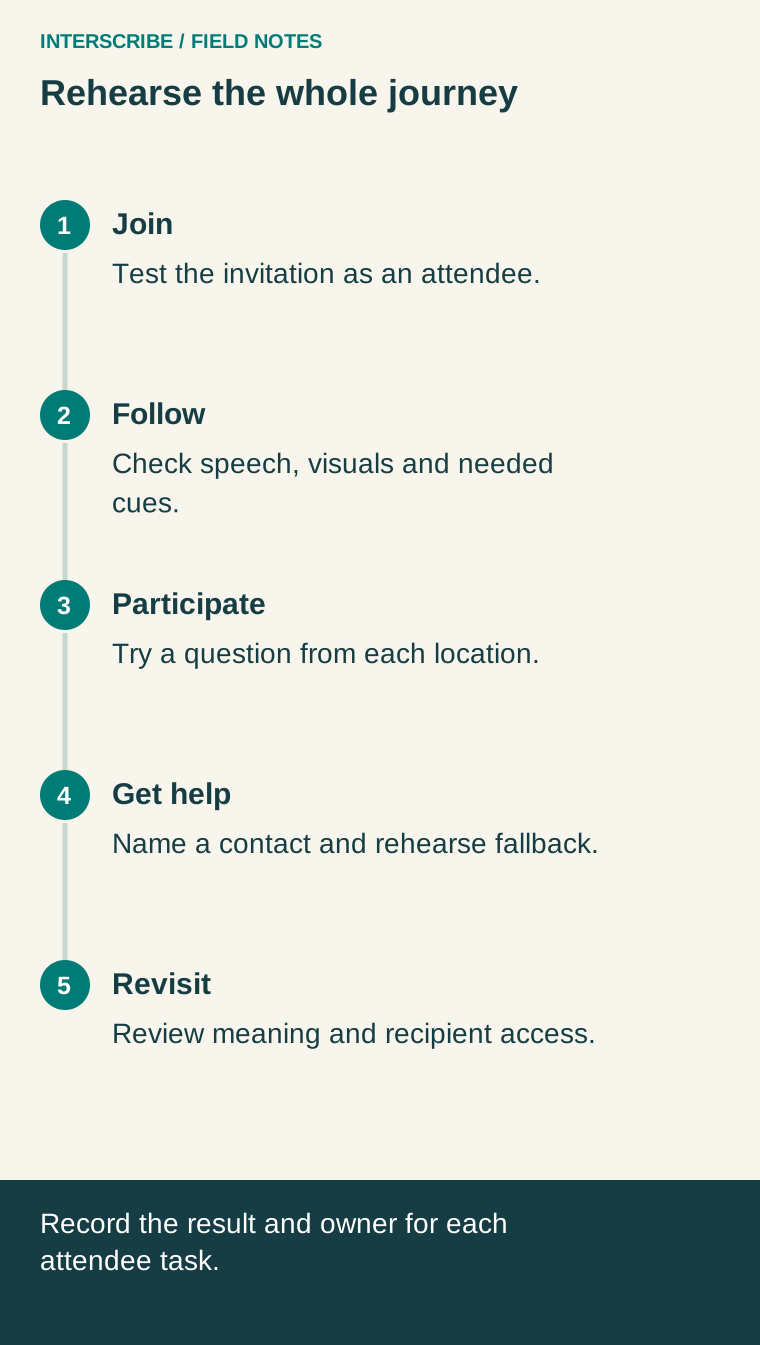
Rehearse five attendee tasks
- Join. Open the invitation on an ordinary attendee account. Check the link, access instructions and support contact. Try the actual device and input methods participants need, including keyboard navigation where relevant.
- Follow. Read the captions while watching shared slides. Check size, contrast, speaker identification, relevant sound cues and the effect of technical vocabulary. Check the separate interpreter or audio route if provided.
- Participate. Ask a question using the intended interaction channel. Ensure the moderator notices it and repeats spoken questions where necessary so remote participants can follow the exchange.
- Get help. Rehearse a missing-caption report. The attendee needs a clear contact; that person needs an escalation owner and permission to request a pause or activate the agreed fallback.
- Revisit. Open the shared recording or document as its intended recipient. Review caption/transcript meaning and access permissions before distributing it. A post-event transcript does not repair a missed live exchange.
A fictional rehearsal: the question nobody heard
A small training team tests a webinar. The presenter’s microphone and captions work, but a question from the room is inaudible to remote participants. The team records a failed participation test rather than declaring the event ready because the caption service connected.
The moderator agrees to repeat each room question into the connected microphone before the presenter answers. A colleague verifies the repeated question from the attendee connection. If the route fails during the event, the moderator pauses the answer and asks for the question in the supported text channel. This is an illustrative procedure, not a claim about a customer outcome or a substitute for the support an attendee requires.
Copy this rehearsal worksheet
Use one row per attendee task. Record the observed result, not simply “tested.” The example below shows how a failure becomes an assigned action.
Link to this rehearsal worksheet
| Task | Support and test | Result / next action | Owner |
|---|---|---|---|
| Join | Open invitation with attendee permissions | Record access failures and corrected instructions | Host |
| Follow | Check representative speech and necessary cues | Record unsupported terms, missing cues and arrangement needed | Support provider |
| Participate | Ask one question from each audience location | Example: repeat room questions into the connected microphone, then retest | Moderator |
| Get help | Send a simulated support request | Record who responded and the agreed fallback | Event lead |
| Revisit | Open reviewed material as its intended recipient | Fix access and meaning problems before sharing | Content owner |
Make the fallback usable
Agree in advance what would cause a pause, who makes that call and how participants will be informed. A fallback might involve a prepared human service, an accessible text exchange or rescheduling a discussion; choose it for the communication and the people involved. Do not assume an inaccessible channel can announce its own failure.
After the event, invite feedback on specific tasks: joining, following, contributing and obtaining help. Separate observations from assumptions about satisfaction. Keep unresolved needs on the next rehearsal sheet, with an owner and a test. This creates a usable improvement record without claiming that a checklist guarantees accessibility or legal compliance.
Discuss your event’s language and participation needs, or start with the audio preparation guide and test your own attendee route.