
Not everyone on your team learned the job in English.
Multilingual corporate trainingTrain everyone at once, each in their own language.
The trainer speaks once. Each person in the room or on the call reads or listens in their language on their own phone or laptop. No viewer accounts, nothing to install.
- Captions in 100+ languages
- AI voice
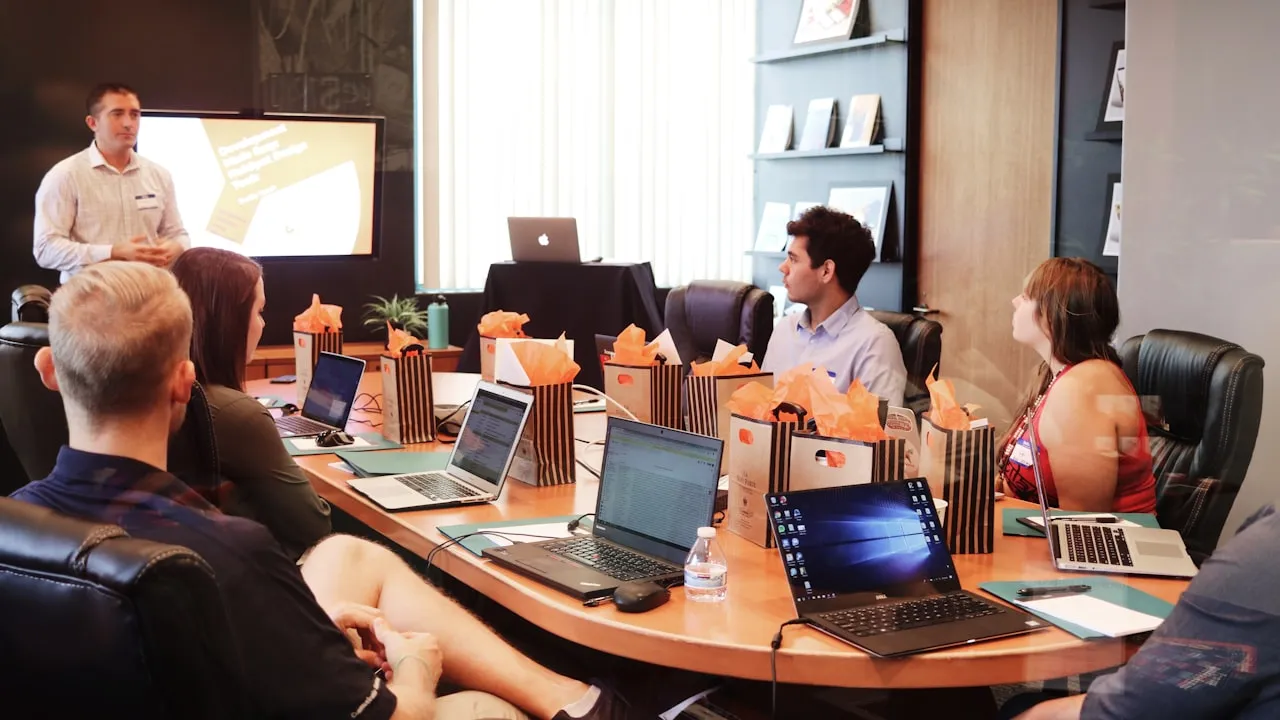
- The room and the call
Trainer, in English
Before you start the line, lock out the machine.
Sound familiar?
Everyone nods in training. You find out on the floor who didn't follow.
"We run the same session three times, once per language."
One session, every language at once. The trainer's day goes back to training.
"The bilingual supervisor ends up interpreting instead of learning."
Each person reads or listens on their own phone. The supervisor sits in the session like everyone else.
"Half the team is on the call, in another country."
The people on the call open the same link as the room. Same captions, their own language.
How it works
Set up before the coffee is ready.
The trainer's mic, into a laptop
The room's mic or the meeting audio. Add your product names to the vocabulary list so they are spelled your way.
A QR on the first slide, a link in the invite
The room scans; the call clicks. Each person picks a language in the browser.
Read along, or listen
Captions in 100+ languages. An AI voice for hands-on sessions where eyes are on the machine. Your own interpreters from the browser booth.
Picture this
Onboarding day. New hires in three countries. One trainer.
A manufacturer welcomes twelve new hires on the same Monday, in Toronto, Monterrey and Wrocław.
For example
8:55
Linh scans the first slide in Toronto. She picks Tiếng Việt. Nobody asked her to say she needed it.
9:00
Monterrey joins from the invite link. Six people on the call, reading in Spanish beside the video.
10:30
The safety walk-through in Wrocław. Tomasz listens to the Polish AI voice with one earbud while he follows the steps on the line.
16:00
HR sends the transcript and summary, in every language used today, to the new hire who starts next week too.
Toronto · in the room
Tiếng Việt
captions
Monterrey · on the call
Español
captions
Wrocław · plant floor
Polski
AI voice
 On the call · same captions
- In the room
- A QR code on the slides. Office Wi-Fi or mobile data.
- Online
- The link next to the meeting. No account to create.
Hybrid
In the room and online, on the same page.
Keep running the session in Zoom, Teams or Meet the way you do now. People on the call open the InterScribe link in another tab or on their phone and follow the same captions as the room, in their own language.
Training in several rooms at once? Each room gets its own channel, QR code and languages. For a weekly onboarding, set up a series and print its QR once: it always opens the next date.
Questions, across languages
Asked in Spanish. Read in English. Answered before the break.
New hires ask the question they would never raise their hand for. Chat, Q&A and polls sit on the same page as the captions, and messages show translated into each reader's language.
- Chat and Q&A. People write in the language they are comfortable in; the trainer reads it in theirs.
- Polls to check understanding. "Which step comes first when the line stops?" before anyone touches the machine.
- Notes and files. The checklist your trainer shares sits beside the captions.
After the session
For the night shift, the other time zone and next week's new hire.
When the session ends, there is a transcript in every language to read or download, SRT included, and an AI summary.
InterScribe translates live sessions. It does not translate recorded training videos.

- Download every language
- One transcript per language
- The AI summary
Privacy and access
For IT, before you sign off.
Your team runs the workspace; each person gets a role that says what they can see and do.
- Roles for your staff. Admins run sessions; interpreters see only the booth.
- No viewer accounts. Trainees open a link; nothing to install on company phones.
- An access code when you want one. Keep an internal session to the people you give the code to.
- Transcripts you control. Where they are kept and how to delete them is on the privacy page.

- Invite with a role
- Who runs the workspace
- Interpreters: booth only
Questions training teams ask us
Talk to a personWill it get our product names and technical terms right?
Add them to the vocabulary list before the session, and InterScribe listens for them and spells them your way. Run a short rehearsal with the trainer to check the words that matter most.
Do employees need an account or an app?
No. They scan the QR code or open the link and pick a language in the browser. Nothing is installed on company phones and nobody creates an account.
Does it work with Zoom, Teams or Google Meet?
It runs alongside them. Keep the meeting as it is; people on the call open the InterScribe link in another tab or on their phone.
What about people in other time zones?
When the session ends there is a transcript in every language used, SRT included, and an AI summary, so whoever was asleep or on the night shift can read it afterwards.
Can we translate our recorded training videos?
Not yet: recorded videos are coming later in 2026, to upload, translate, caption and dub with AI voices. Today InterScribe translates live sessions.
Does this make our training compliant?
No tool does that on its own. InterScribe gives people the training in their language and a written record of it. Whether that meets a rule for your organisation is for your compliance team and counsel.
Your next training, in every language on the team.
Price it from your hours, rooms and languages, then send it to finance. Or talk to a person.
Photos: Christina @ wocintechchat.com on Unsplash