
The same words can serve different tasks
Use the printable replay and transcript handoff kit for a fictional SRT timing exercise, speaker and sound review, and a release manifest that separates raw exports from approved files.
A participant who needs to ask a question during a session cannot wait for tomorrow's transcript. Someone checking an action item next week may prefer searchable text to watching the entire recording. A person following a replay needs text that stays aligned with the audio.
These are three related jobs, with different delivery and review requirements. This guide helps an organizer specify the right outputs without treating one file as a substitute for every other need.
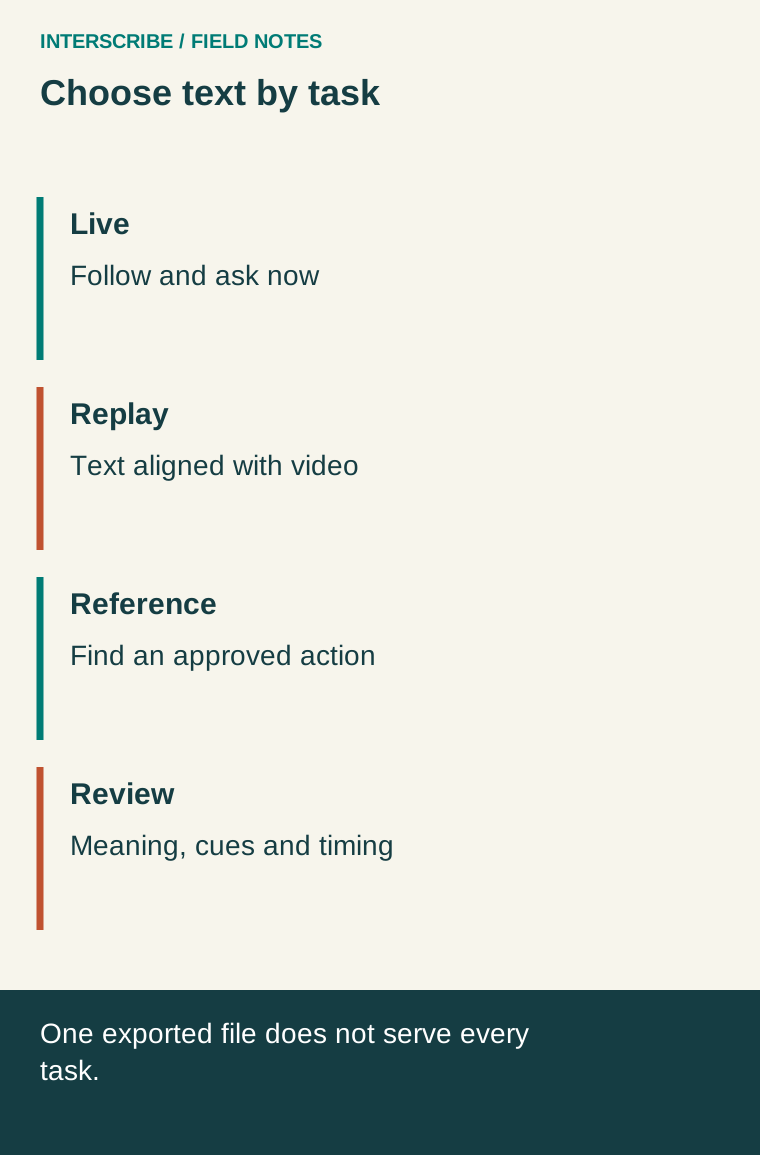
Name the deliverable precisely
Live captions provide text during the event. Their usefulness depends on what participants receive while they are trying to follow and contribute, including whether errors can be clarified in time.
Replay captions are synchronized with a recording. The W3C caption guidance describes captions as including speech and relevant non-speech audio information, aligned with the audio. A raw speech-only output may therefore need editorial work as well as timing checks.
A transcript provides a text version for reading and reference. W3C's transcript guidance also distinguishes descriptive transcripts that convey needed visual information. Decide what the reader would otherwise miss from a demonstration, chart or silent action.
An SRT file is a timed text file commonly used for captions; a plain-text or document export serves a different reading experience. A download button does not establish that the file is accurate, complete, synchronized with your final edit or appropriate for the intended audience.
A fictional training session with three requests
A fictional community training team is planning a software demonstration. Nora wants to follow the live explanation and ask a question before the session ends. Malik will watch the recording after work. Jo needs to look up the agreed follow-up task several days later.
The team initially plans to email one transcript to everyone. That helps Jo's reference task if the transcript is reviewed and easy to navigate. It does not give Nora text during the live discussion, and it does not provide Malik with synchronized replay captions.
The team changes the delivery plan:
| Participant task | Planned output | Acceptance observation |
|---|---|---|
| Follow and ask now | Live text with a host clarification route | Nora can follow the test explanation and ask before the topic closes |
| Watch later | Reviewed captions attached to the final recording | Malik can follow the demonstration with captions enabled |
| Find an action | Reviewed transcript with headings and clear decisions | Jo can find the task, owner and stated date |
These are fictional planning observations to test, not reported customer outcomes. Individual accessibility arrangements may require additional services or formats; this matrix does not determine legal compliance.
Review meaning before polishing presentation
Start with errors that change the message: negatives, numbers, names, dates, conditions and who said what. Compare questionable passages with the source and ask the responsible speaker when the source itself is unclear. A fluent sentence can still be an incorrect instruction.
For a translated output, involve a competent reviewer for the target language and subject. Correcting the source-language text does not prove every translated version is now correct. Keep versions identifiable so a late change is not silently applied to only one deliverable.
Do not invent missing speech. Mark an unresolved passage and follow your editorial policy. If an approved summary is more suitable than a verbatim record, label it as a summary rather than implying that every sentence was spoken.
Synchronize against the final recording
Editing a video can change the relationship between text and time. Check the beginning, transitions and end, as well as any section cut from the original event. Preview the actual player and caption track that participants will use.
Look for relevant speaker identification and meaningful sound cues. Make sure text does not conceal a control, diagram label or other information needed for the task. A caption file that uploads successfully has passed a file-handling step, not a complete viewing review.
For the transcript, organize the document around navigation: title, session context, speakers where relevant, descriptive headings and a clear distinction between discussion and agreed actions. Explain visual content when the intended text-only reader needs it. Keep meaningful information rather than preserving every verbal filler for its own sake.
Use this output and ownership worksheet
| Output | Owner | Review before release | Destination and access |
|---|---|---|---|
| Live text | Event accessibility or language-service lead | Rehearsal with actual source and participant path | Advertised live route and help contact |
| Replay captions | Video editor plus language reviewer | Meaning, cues and timing against final edit | Tested player and intended audience |
| Reference transcript | Editorial owner | Names, facts, actions and needed visual context | Approved document or page |
| Translated version | Named target-language reviewer | Meaning and version consistency | Correctly labeled language version |
Add a due date and a correction contact to each row. If the event contains personal questions or confidential information, settle recording and publication permissions before promising public materials. The ability to export is not permission to distribute.
Find and check InterScribe exports
The documented transcript workflow places language rows under a session's Transcriptions area, with reading and download options including document, text and SRT formats. Listener downloading is a separately configured option in the documented workflow.
Use the format that fits the task, then inspect the actual downloaded file. This article relies on product documentation, not a live check of your account's permissions or enabled services. Verify the available controls and review the outputs in your environment before setting delivery expectations.
If the recording will be hosted elsewhere, confirm that destination's caption import and display behavior. Do not assume the transcript download automatically attaches captions to a separate video player.
Test the handoff, not just file creation
Ask a colleague to follow the final links as the intended participant. Can they identify the language, enable captions, find the transcript and report an error? Are the published document and recording the versions that reviewers approved?
The completed plan should answer three questions plainly: what helps someone participate now, what helps them follow the replay, and what helps them retrieve information later? Naming those tasks early avoids the familiar disappointment of delivering a file that exists but does not solve the reader's problem.