
Connect Your Event App to InterScribe
Your attendees already use a conference app, course page, or staff portal. You want them to reach the right language experience from that familiar place. Before designing a caption component or promising single sign-on, define the smallest journey that solves their problem.
Start with a session link supplied by the organizer. InterScribe's first-event guide documents sharing the audience link from a session's Share action; its QR code opens the same page. That gives you a concrete handoff to evaluate without designing a new real-time client. Confirm the controls and audience experience in the account you will use. InterScribe: Your first event.
This guide is a link-based integration plan, not an API specification. It does not establish that a public SDK, token exchange, webhook, embeddable caption feed, or SSO contract is available for your account. If your project needs those capabilities, obtain the supported contract and validate it before committing to the design.
Draw the ownership boundary first
Your event page → organizer-approved audience link → InterScribe audience experience → your event page when the attendee returns.
Your application owns the schedule label, link placement, and any information it collects before the handoff. The destination owns its access checks and audience controls. Login to your application should not be treated as proof of authorization at another service.
| Surface | What your team controls | What to confirm with the organizer |
|---|---|---|
| Schedule card | Session title, time, room, button label | Correct audience URL for this session |
| Handoff | Link behavior and return instructions | Whether sign-in or other access steps apply |
| Audience experience | Help information you provide | Available languages and enabled controls |
| After the event | Your follow-up links | Which resources may be shared and with whom |
Keep an audience URL separate from operator, interpreter, and administration URLs. Do not construct a link by guessing an identifier or copying a privileged browser address.
Worked example: a workshop card
Imagine a fictional conference app with two workshops at 10:00. One is “Designing Better Onboarding” in Room A; the other is “Reviewing Customer Feedback” in Room B. A single button labeled “Translation” leaves too much room for a routing mistake.
For Room A, use this content pattern:
- Session: Designing Better Onboarding
- Time and place: 10:00, Room A, with the event's timezone shown
- Action: Open language access for this session
- Help: Having trouble joining? Ask the Room A host.
Behind that button, store the exact audience URL approved for Room A. This is a content and configuration example, not an InterScribe API payload.
Have a second person compare the app card with the organizer's session page. Then follow the published link as an attendee. A successful page load is insufficient: confirm the session identity and the intended experience. Repeat for Room B so a copied URL does not quietly send both audiences to Room A.
Keep a small link register
| Field | Example or required evidence |
|---|---|
| Your event record | Workshop A, morning session |
| Audience URL | Exact value supplied by the organizer; no invented URL |
| Verified by | Named organizer and app reviewer |
| Verified when | Date, device, browser, and account state |
| Expected destination | Session name, time, and audience role |
| If it fails | Room host and an approved alternate joining route |
| Expiry or reuse decision | Confirm whether the next occurrence needs a different link |
Treat this register as operational configuration. Limit editing to the people responsible for the schedule, and review changes when a session is renamed, moved, or replaced. A recurring event is not a reason to assume an old session link is appropriate forever.
Test the handoff under realistic conditions
Use the actual app or LMS container, not only a desktop browser. If the application opens links inside its own browser view, check that complete journey as well as the normal browser route.
| Test | What success looks like | What to do if it fails |
|---|---|---|
| Attendee is signed out | Required access steps are understandable | Correct instructions or access settings before launch |
| Two sessions run together | Each button reaches its own session | Repair the mapping and recheck both links |
| Session has not started | Attendee knows where they are and what to expect | Add accurate start/help instructions in your app |
| Attendee returns to your schedule | They can locate the session again | Provide clear return guidance |
| Network interrupts the journey | Help or retry guidance remains reachable | Test an approved alternate route with the host |
| Session is over | Your app does not promise a live experience | Replace the label or link under the agreed follow-up plan |
Use keyboard navigation and the assistive technology relevant to your audience when checking your own page. Make link text describe the destination. Do not rely on a QR code as the only route: someone reading your app on their phone needs a directly usable link.
Avoid promising that a link handoff transfers identity or preserves access automatically. Check access with the intended audience role and with someone who should not have access, using a rehearsal session and agreed test accounts.
If a link is not enough, request a real integration contract
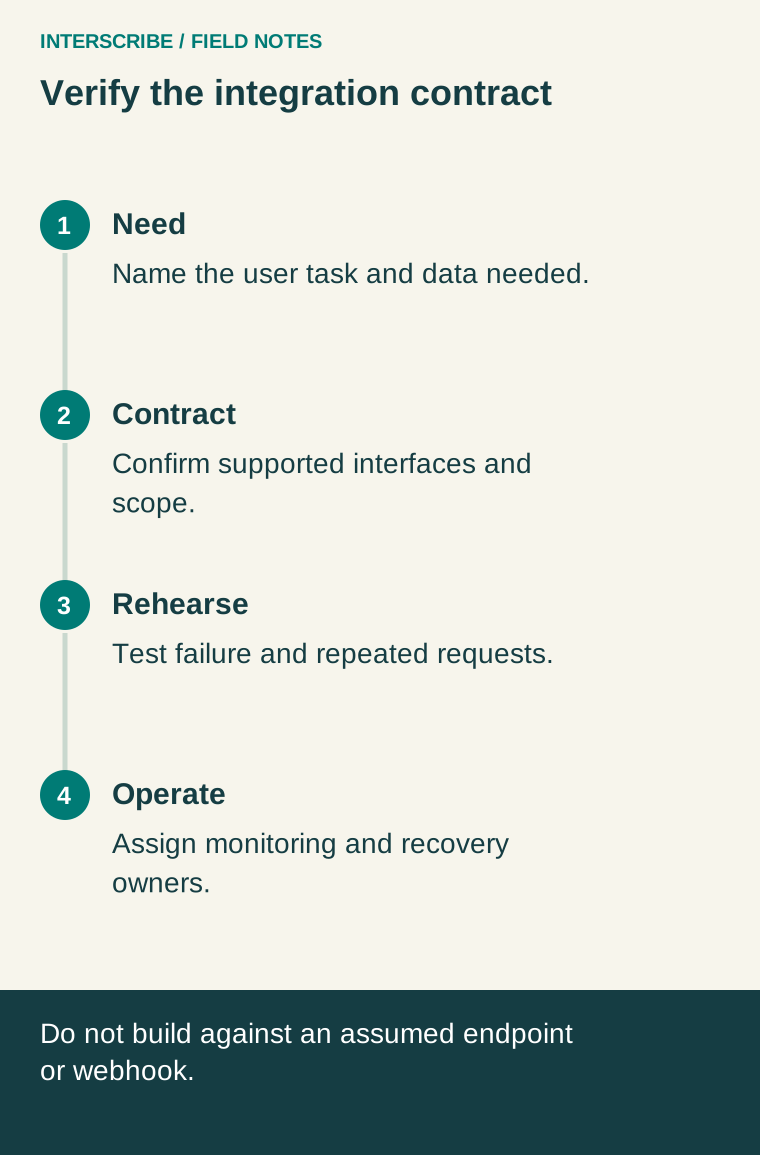
A custom inline caption experience is a different project. Write the need first: “Participants must remain inside our application and receive reviewed session-state changes,” for example. Then ask the product or integration owner to identify the supported method.
Before implementation, require answers to these questions:
- Availability: Which documented API or embedding method is supported, for which account and version?
- Authorization: How does the service decide which person may access which session? How is access revoked?
- Lifecycle: What do pending, live, ended, expired, and unavailable mean in the contract?
- Delivery: How are updates identified, ordered, corrected, and recovered after disconnects?
- Failure handling: Which failures are retryable, with what limits and user-visible behavior?
- Data handling: Which content and identifiers cross the boundary, and what retention applies?
- Operations: Who monitors failures, handles version changes, and supports the live event?
Ask for a versioned reference and a working example against an approved test environment. A diagram of a common industry pattern is not evidence that these operations exist in InterScribe. Browser-internal calls are also not a substitute for a supported external contract.
For a confirmed REST integration, OWASP recommends HTTPS and access control at each protected endpoint. Use those as review requirements for your implementation. HTTPS protects data in transit; it does not by itself establish end-to-end encryption between participants. OWASP REST Security Cheat Sheet.
Leave the planning meeting with a testable decision
Record the chosen route, owner, supported reference, audience access conditions, and rehearsal result. For a link handoff, that should include the actual session mapping and failed-path checks. For a custom integration, it should include the verified contract and unresolved questions before anyone promises a delivery date.
The first useful milestone is simple: an attendee can find the right session, reach the intended experience, and get help if something fails. Build additional integration only around a demonstrated need and a supported interface.